Username · Nickname · Server · Messages
Discord Font Generator
Make your Discord nickname, server profile and messages stand out with stylish fonts. Type below, copy your favourite, and paste it into Discord. Free and instant. Or browse every style on the main font generator.
Tap Copy next to any style. Nothing you type is stored or sent anywhere.
What is a Discord font generator?
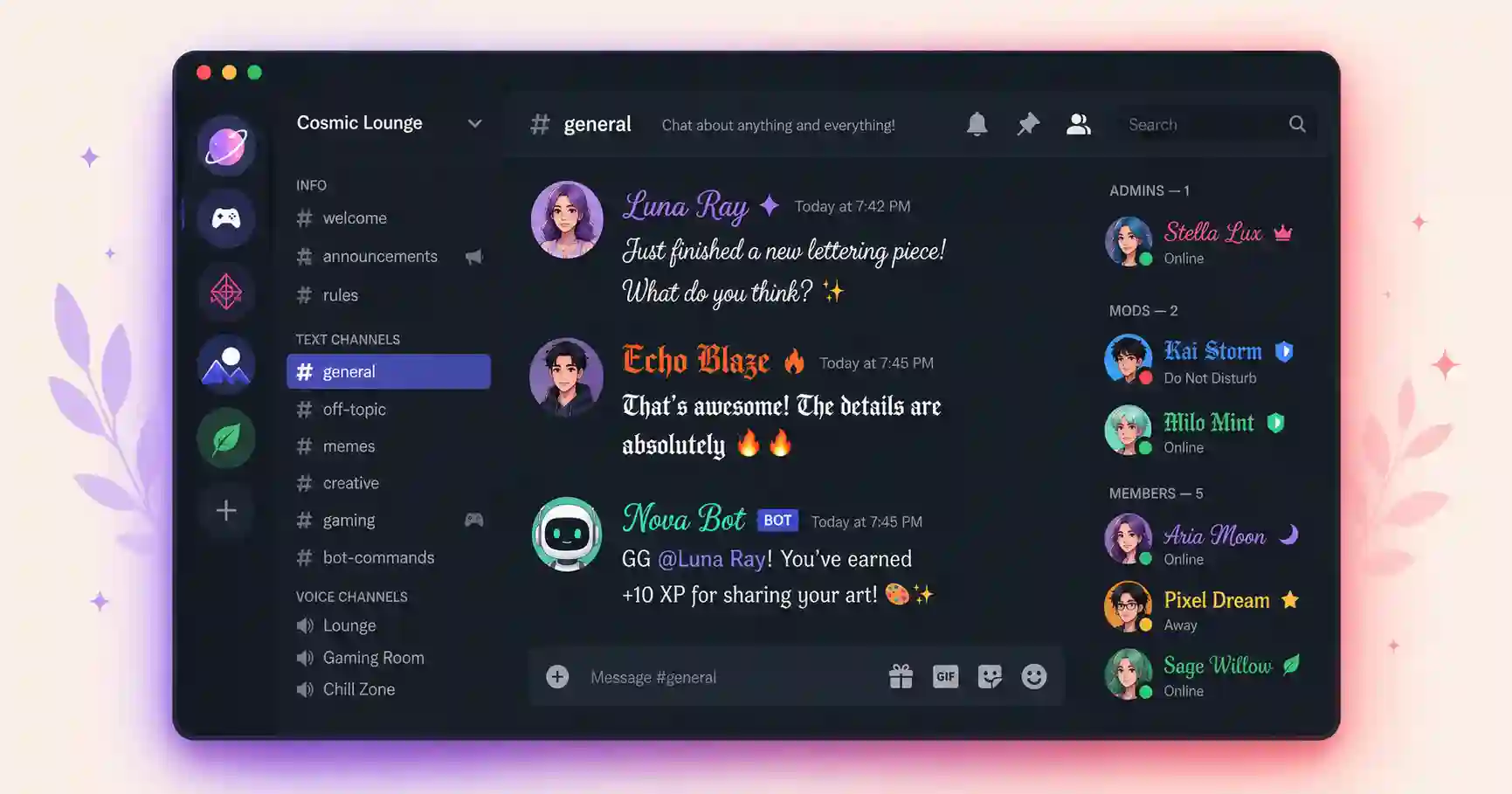
Discord does not include a feature to change your font, so a Discord font generator uses Unicode characters instead. You type your text, the tool swaps each letter for a styled lookalike, and you copy and paste it into a message, nickname or server profile. Discord keeps the look because the styling is part of the characters.
You get the full set of styles, from bold and cursive to gothic, glitch and small caps, so your name and messages match your vibe.
How to change your font in Discord
1. Type & copy
Type your text above and tap Copy next to a style.
2. Open Discord
Open a chat, or Edit Server Profile for a nickname.
3. Paste & send
Paste into the message or nickname field and save.
Where to use fonts on Discord
- Server nicknames, to stand out in member lists.
- Messages, for stylish announcements and replies.
- Server profile and About Me, to personalise your presence.
- Channel and category names, if you have the permissions.
Related font generators
Ready-to-copy Discord font examples
Styles generated live for Discord nicknames, channels and announcements:
These are static samples. Type your own word in the box above to generate fresh styles you can copy in one tap.
Discord fonts FAQ
How do I change my font in Discord?
Do fancy fonts work in Discord messages and nicknames?
Why does my styled text not work inside code blocks?
Can I use these fonts for my Discord username?
Is the Discord font generator free?
Where to go next
Discord's markdown covers basic bold and italic, but Unicode styles let you decorate the places markdown can't reach — usernames, server names and channel titles. Popular picks are gothic blackletter for dark-themed servers, vaporwave for retro ones, and glitch text for chaos. Since Discord is home base for a lot of gaming crews, the Roblox and PUBG name generators are natural next stops.